
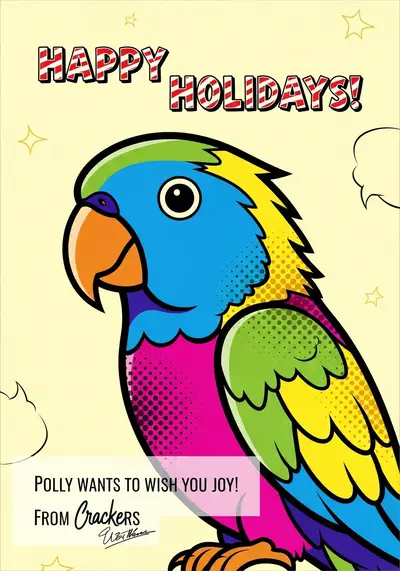
How do I make a Christmas card with my dog or cat?
- Select a recognizable photo. The pet's face should be sharp and well lit. You do not need a Christmas costume or decorated room.
- Upload it in the card creator. Choose the holiday occasion and a style that suits your family.
- Add a short greeting and signature. Check names and punctuation before generating.
- Compare the two designs. Check markings, eyes, paws and lettering. Keep the pet, rather than the background decorations, as the focal point.
- Save the completed version. Confirm it is on your device before sharing it or beginning a separate print order.
For the full workflow, see how the pet card generator works.
What kind of photo works best for a holiday card?
A simple, close portrait is often easier to use than a crowded family photo. Choose natural light, visible eyes and enough space around the ears. If your pet is already wearing a costume, make sure it does not cover the features you want preserved.
Do not put an animal into an uncomfortable outfit just for a reference photo. A normal portrait can be the starting point for a seasonal illustration. Our photo preparation guide has additional tips.
Which Christmas card style should I choose?
- Festive: a decorative seasonal direction for cheerful family greetings.
- Watercolor: a softer illustration for a quieter, more traditional card.
- Cartoon: a playful choice when the message is written from the pet.
- Realistic: a photo-like interpretation, while still requiring a likeness check.
Preview examples in the gallery. A style name is not a promise that every requested prop, pose or pet marking will be reproduced exactly.
What can I write in a Christmas card from my pet?
Keep the headline short enough to read at the size you will send or print. These original examples can be adapted with your own signature:
- From the dog: “Warm wishes, muddy paws and a very merry Christmas.”
- From the cat: “May your Christmas be cozy and your favorite chair unoccupied.”
- From the family: “Christmas wishes from our whole pack to yours.”
- For a pet sitter: “Thanks for the walks, the treats and the love this year.”
- A simple greeting: “Wishing you a peaceful Christmas and a happy new year.”
Avoid packing a long family update into the card image. Put longer news into your accompanying message or letter.
Should I send a digital card or order prints?
Digital: save the card and use your preferred messaging app or email. Check the shared image rather than assuming the recipient received a high-resolution file.
Printed: begin with a 4×6 flat photo print. Save the print image, upload it yourself to a retailer, then review the crop and confirm the paper, quantity, store and total cost. Retailer links do not automatically transfer your image or place an order.
A flat photo print is not a folded greeting card with an inside message. If you want a folded product, check the retailer's dimensions and template requirements separately. Follow our pet card printing guide.
When should I prepare and order Christmas cards?
Prepare your image early enough to review it and, if printing, order a sample before ordering several copies. Check current production and delivery estimates directly with the retailer and mailing service. Availability and deadlines depend on location, product and demand; there is no single safe cutoff date for everyone.
For last-minute greetings, a digital card avoids physical production and delivery, but generation and sharing still take time.
A final holiday-card checklist
- The pet is recognizable and important markings are correct.
- Names, greeting and signature have been checked.
- Text is readable on a phone and at the intended print size.
- The final image is saved, not just open in a browser.
- Any print crop has been approved before ordering.
- Printing and shipping charges have been checked separately.
PawCards creates digital artwork, not a physical print shipment. Start your pet Christmas card with a photo you already love.