Why start with a 4×6 flat photo print?
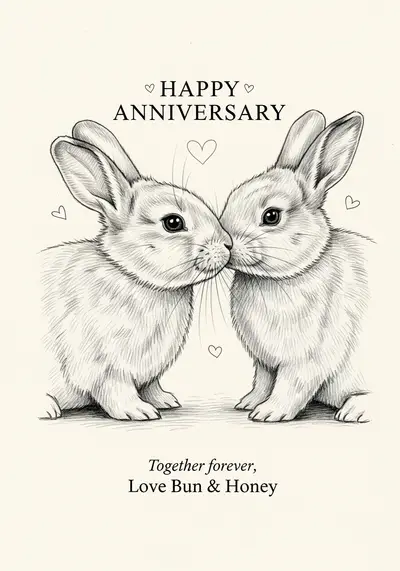
PawCards artwork is composed in a 2:3 portrait ratio, which matches a 4×6 photo print. That avoids the shape mismatch you get when filling a 5×7 format. A flat photo print is a single image on photo paper, not a folded greeting card with an interior.
If you want a different size or folded card, review the printer's template and crop rules first. Do not assume selecting a larger size will preserve every border and line of text.
How do I save the print image on my phone?
- Finish the card first. Check the message and save any editor changes.
- Open Print and save the print image. Depending on your browser, you may see a download, share sheet or image-saving screen.
- Confirm the image is really saved. Look in Photos, Files or Downloads as appropriate for your device. Opening a share sheet alone is not proof of saving.
- Use the saved image, not a screenshot. A screenshot can reduce resolution and include browser controls.
If your social app's browser will not save the file, try opening the page in your phone's regular browser. The exact save menu varies by browser and operating system.
How do I order through a photo retailer?
- Open the retailer's photo-print service after saving your file.
- Upload the saved JPEG yourself.
- Select a 4×6 photo print and review its orientation.
- Inspect the crop preview, especially the card border and lettering.
- Choose quantity, finish, store or delivery, and review the full price.
- Complete payment with the retailer and wait for its order confirmation.
Official starting points: CVS Photo prints and Walgreens Photo prints. Products, prices and pickup availability vary. These are external services, not integrated PawCards checkout or fulfillment.
How do I print a card at home?
Open the saved image in your device's print application. Select 4×6 paper, the correct paper type and portrait orientation. Inspect the preview before printing. Depending on your printer, borderless or fill settings may trim the edges; fit-to-page may instead leave a white margin.
Make one test print before making several. If using thicker paper, check your printer manufacturer's supported paper weights. Do not assume every printer accepts cardstock or handles it the same way. Let the ink dry according to the paper and printer instructions.
Is the card really 300 DPI?
Pixel dimensions determine the detail available for a print. PawCards composes the card at 1024×1536 pixels. At 4×6 inches, that works out to 256 pixels per inch: 1024 ÷ 4 and 1536 ÷ 6 both equal 256.
A file may carry 300-DPI metadata or be resized for export, but that does not create additional original image detail. Review a sample print if sharpness is important. Larger prints spread those pixels over a larger area, so do not assume a large-format result will look as crisp as a small one.
Why is my border or text being cropped?
Two common causes are a mismatched print shape and automatic edge trimming. A 2:3 image does not fill a 5×7 rectangle without cropping or extra margins. Some borderless printing also trims a small amount even when the ratios match.
Choose 4×6 first, inspect the preview, and use a fit or no-crop setting if the retailer offers one. If the text is close to an edge, change the card layout or choose a print method with margins rather than approving a crop that cuts it off.
What does printing cost, and who handles the order?
Printing is separate from the cost of creating your digital card. The final amount can include print quantity, paper choice, envelopes, shipping and tax. Check live prices with the retailer instead of relying on an old per-card estimate.
PawCards supplies the digital image. The retailer handles your upload, payment, order confirmation and pickup or delivery. Opening a retailer link is not an order and does not transfer your card automatically.
Can I print a watermarked free card?
You can print the completed file available on your plan, but any visible watermark remains part of the printed image. Exporting for print does not remove it. Check the finished image before paying for a print order.
Need a design first? Follow our photo-to-card guide, explore pet Christmas card ideas, or create your own pet card.